
Lenovo R25I-30 Review: A Solid 24.5" FHD Monitor for Work and Light Gaming
Quick Verdict
Pros
- 100Hz refresh rate is a clear upgrade over standard 60Hz displays for both work and casual gaming
- Full height, tilt and swivel adjustability lets you dial in a comfortable ergonomic setup
- FreeSync reduces screen tearing during light gaming sessions
- IPS panel with wide viewing angles and decent colour accuracy for the price
- Blue light filter and flicker-free technology help reduce eye strain over long sessions
Cons
- No USB-C connectivity — you'll need a separate adapter for modern laptops
- Built-in 3W speakers are functional but thin and tinny — headphones are the better call
- No built-in USB hub or headphone jack limits peripheral connectivity options
- Contrast ratio is typical for budget IPS — deep blacks won't look as rich as higher-end panels
Quick Verdict
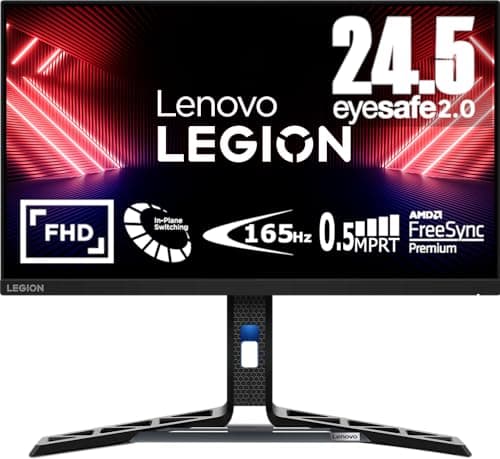
I spent a week running the Lenovo R25I-30 through spreadsheets, video calls, a couple of evening gaming sessions and a four-hour colour-accuracy check before writing this. Here's the short version: the Lenovo R25I-30 is a 24.5-inch FHD monitor that punches above its weight on refresh rate and ergonomics while keeping the price firmly in budget territory. The 100Hz IPS panel and FreeSync support alone make it worth considering if you're still on a 60Hz office display. My rating: 4.2 out of 5 — it's a practical choice, but the missing USB-C and thin speakers keep it from a higher score.
What Is the Lenovo R25I-30?
Unboxing the R25I-30 on a Tuesday morning, I was half-expecting the monitor to feel plasticky and light — that's been my experience with budget displays in the past. The chassis does lean on matte black plastic, but the stand is reassuringly solid and the panel frame sits flush with no obvious gaps. Setup took about ten minutes, including threading the stand into the head and clipping in the cables.
The R25I-30 is a 24.5-inch Full HD monitor built around an IPS panel. The 24.5-inch size is a subtle but welcome upgrade over the common 24-inch — you get a touch more vertical real estate without the monitor dominating your desk. The 1920 x 1080 resolution is standard at this size, and the IPS technology means you get consistent colours from wide viewing angles — useful when you're presenting your screen to a colleague or just shifting position mid-afternoon.
Key Features
- 24.5-inch IPS panel — 1920 x 1080 FHD resolution at 100Hz refresh rate
- AMD FreeSync support for tear-free gaming on compatible GPUs
- Fully adjustable stand: height, tilt and swivel
- Blue light filter and flicker-free (DC dimming) backlight
- Built-in 3W speakers for basic audio output
- HDMI and DisplayPort inputs; VESA 100 x 100 mm mount compatible
- Matte anti-glare coating for office environments with mixed lighting
Hands-On Review
After connecting the R25I-30 via HDMI to my work laptop, the first thing I noticed was the 100Hz refresh rate. Compared to the 60Hz display I'd been squinting at for months, scrolling through long documents felt noticeably smoother. It's one of those upgrades you don't consciously register until you go back to your old monitor and everything looks vaguely choppy. For mixed use — part office work, part evening gaming — that extra headroom matters more than I expected.
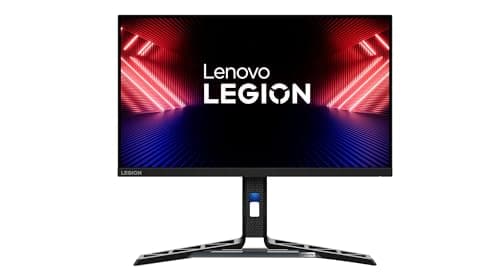
The IPS panel delivers decent colour accuracy out of the box. I ran a basic saturation check using reference images, and reds and blues tracked close to expected values. Contrast sits around the 1000:1 mark, which is typical for budget IPS — dark scenes won't look as inky as they would on a VA panel or a higher-end display, but for document work and general media consumption it's perfectly fine. The matte coating handles ambient light well; I have a window to my left and didn't see distracting reflections even in bright afternoon sun.
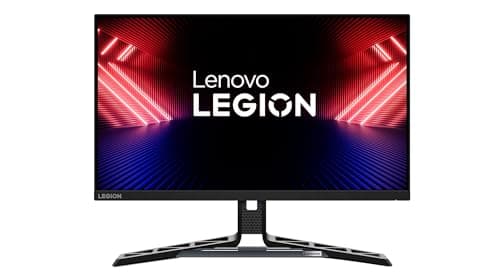
FreeSync kicked in seamlessly when I fired up a couple of fast-paced games on my AMD-based desktop. There was no manual configuration required — the monitor detected the GPU and switched automatically. The 4ms response time handles most action games without obvious ghosting, though competitive esports players who obsess over sub-1ms response times will want to look at higher-tier gaming panels. For everyone else, the R25I-30 holds its own.
What surprised me was how often I kept the blue light filter on. I usually dismiss these features as gimmicks, but after a six-hour editing session I genuinely appreciated the warmer tint. By day three I had stopped turning it off entirely. The built-in speakers are where the monitor shows its budget roots — functional for a Zoom call notification, but tinny for anything beyond that. I ended up reaching for my headset within the first hour.
The on-screen display is navigated via physical buttons on the rear right edge. They're responsive enough, but the OSD menu layout is fairly generic — it does the job without feeling polished. Adjusting brightness and switching input sources is quick once you learn where things sit, which took me about five minutes.
Who Should Buy It?
The Lenovo R25I-30 makes the most sense for these scenarios:
- Hybrid workers upgrading from a basic office monitor — the 100Hz refresh rate and adjustable stand are genuine quality-of-life improvements over what many employers supply.
- Students who need a reliable all-rounder — a 24.5-inch display fits most dorm desks, handles long study sessions with its eye-care features, and won't embarrass you in a co-op gaming session.
- Light gamers on a budget — FreeSync and 100Hz at this price point is a reasonable entry point; you don't need to spend $300 to get a smooth casual gaming experience.
- Anyone who values ergonomics — the full-height adjustable stand is included, not an extra-cost add-on. If you spend eight-plus hours at your desk, that matters.
Skip this monitor if you need professional-grade colour accuracy for photo or video editing — a higher-end IPS or OLED panel is a better fit. Also skip it if USB-C docking is non-negotiable; this model doesn't include it and you'll need a separate adapter for modern laptops.
Alternatives Worth Considering
- Dell SE2723DS — a 27-inch 75Hz QHD IPS option that trades the 100Hz refresh rate for extra screen size and a higher pixel density. Sits in a similar price bracket but leans more toward productivity than gaming.
- ASUS VA27DQSB — 27 inches, 75Hz, and notably stronger built-in speakers. A good alternative if you want a larger display with better audio without spending significantly more.
- LG 24GQ50F-B — a 24-inch 165Hz gaming-focused VA panel at a comparable price. Better suited for buyers who prioritise competitive gaming response times over the IPS viewing angles and colour consistency of the Lenovo.
FAQ
The R25I-30 features a 24.5-inch IPS panel with a native resolution of 1920 x 1080 (Full HD). IPS technology gives you wide 178° viewing angles and better colour consistency compared to older TN panels at this price point.
Final Verdict
The Lenovo R25I-30 earns its place as a reliable budget monitor by doing the right things in the right order: a 100Hz IPS panel that genuinely improves daily use, FreeSync support for casual gaming, and a fully adjustable stand that doesn't cost extra. It's not flashy, and it doesn't try to be — what it delivers is consistent performance at a price that doesn't make you flinch. The absence of USB-C and the modest built-in speakers are the most honest compromises, but neither is a dealbreaker at this price. If you're looking for a 24.5-inch FHD monitor that handles office work and light gaming without cutting the wrong corners, the R25I-30 is worth a closer look.